Read enough checking account offers and one phrase keeps coming back: “with qualifying direct deposits.” It’s the requirement that decides most bonuses, and it’s also the one people most often get wrong. Money arrives in the account, the deadline passes, and no bonus shows up, because the bank didn’t count that money as a direct deposit.
There’s no single industry definition. Each bank writes its own, so the only answer that really matters is the one in your offer’s terms. But the definitions follow a pattern, and once you know it, the fine print gets much easier to read.
What banks usually mean by “direct deposit”
In most offers, a qualifying direct deposit is a recurring electronic deposit of income sent through the ACH network by the organization that pays you. Typical examples:
- Your paycheck, sent by your employer or its payroll provider
- Pension or retirement income
- Government benefits, such as Social Security
Banks care about this because a direct deposit is a sign you’ll use the account as your main checking account, which is what the bonus is paying for. That’s also why some banks review deposits by hand to check that they come from an employer, and why the rules tend to get stricter over time rather than looser.
What usually doesn’t count
These are the deposits most often excluded, either outright in the terms or in practice:
- Mobile check deposits and cash. They’re deposits, but they aren’t electronic payments from a payer.
- Person-to-person payments such as Zelle, Venmo, or Cash App. Banks generally don’t treat these as direct deposits.
- Wire transfers. Fast and electronic, but generally not treated as direct deposits.
- Transfers between your own accounts, including at the same bank. Some offers exclude these by name.
The grey area is a transfer from an account at another bank. Some banks have counted certain external transfers, others never do, and policies change without notice. Unless the terms say external transfers qualify, treat them as a gamble and plan around payroll instead.
How to read the direct deposit clause
A direct deposit requirement is rarely just “make a direct deposit.” Before you open the account, look for each of these in the terms and write them down:
- Amount. Is it a minimum per deposit (for example, at least $500 each) or a total across all deposits?
- Count. How many deposits are needed? One, or several?
- Window. How many days after opening do you have? Does the clock start at account opening, or at some other date?
- Months. Do the deposits need to land in a certain number of months, and do those months need to be consecutive?
- Who pays. Does the deposit need to come from an employer or government agency, or will any ACH credit do?
- Payout timing. When will the bank pay the bonus once you’ve qualified?
Save a copy of the terms the day you apply. Offer pages change or disappear, and the version you signed up under is the one that applies to you.
Getting a deposit to the new account
The simplest route is usually your employer’s payroll portal. Many let you split a paycheck across accounts, so you can send just enough to the new account to meet the minimum while the rest keeps going where it always has. Note when the change takes effect: payroll updates can take a pay cycle or two, and that time comes out of your window.
Keep a record of every deposit
If a bonus doesn’t pay, the first thing a bank will ask is when the deposits arrived and how much they were. A simple record makes that conversation short. For each deposit, note:
- The date it posted
- The amount
- Where it came from (employer, benefit, other)
- Whether it matched what the terms ask for
This is what BonusLedger was built for. When you add an account, you set up a Direct Deposit requirement with the same pieces as the terms: the required amount (per deposit or in total), the number of deposits, the months needed and whether they must be consecutive, and your pay cadence. Each time a deposit lands, log it with its date, amount, and source, and the requirement’s progress updates from what you’ve logged. Save the offer terms to the account as an encrypted document so they’re there if you ever need them.
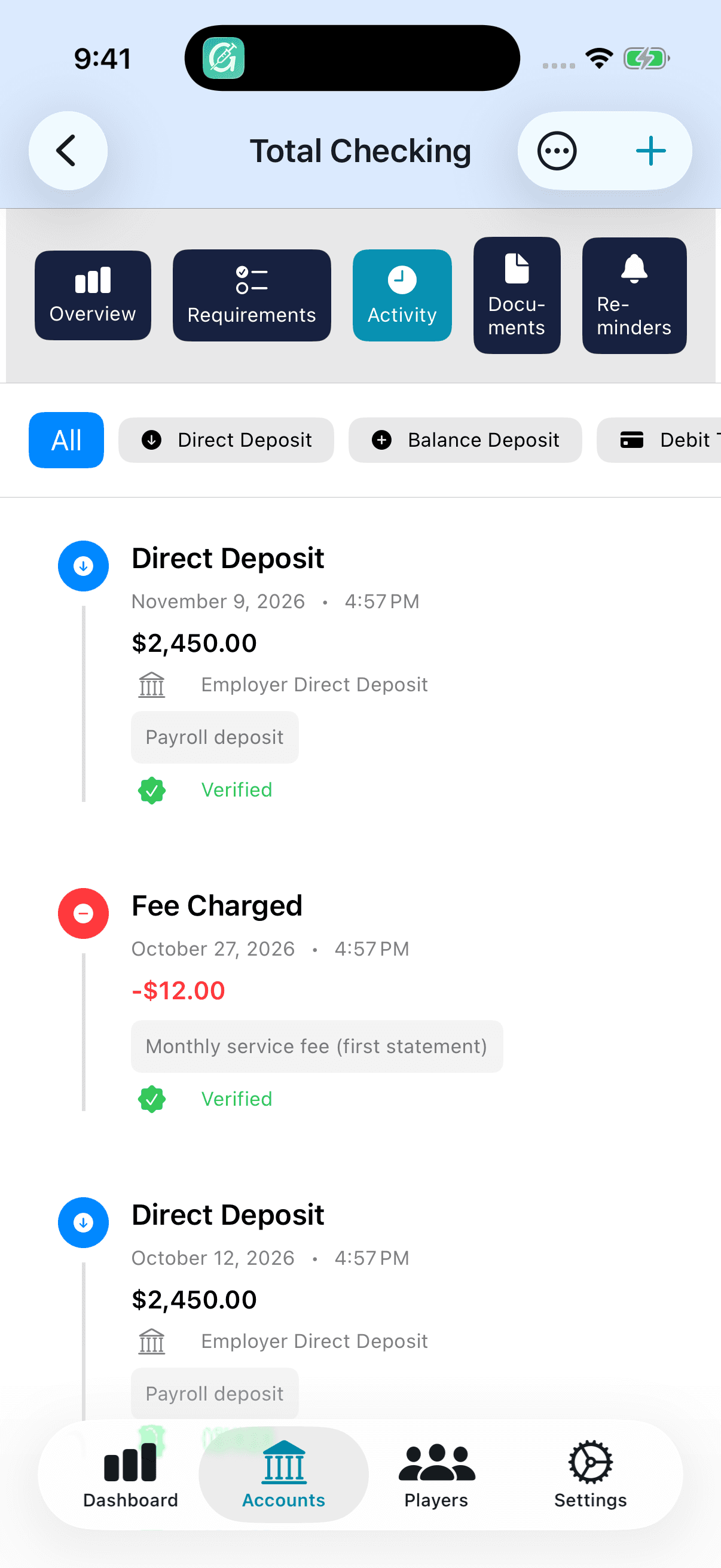
BonusLedger never connects to your bank, so it can’t tell you whether the bank counted a deposit. What it gives you is a clear, dated record of what you did, set against what the terms asked for, so you can spot a gap before the deadline instead of after it.
New to tracking? Our step-by-step guide, how to track multiple bank bonuses without a spreadsheet, walks through setting up your first account.
Frequently asked questions
What is a qualifying direct deposit?
It is whatever the bank's offer terms say it is. Most banks mean a recurring electronic (ACH) deposit of pay, a pension, or government benefits from an employer or government agency. The exact wording is in the offer's terms and conditions, and it differs from bank to bank.
Does a mobile check deposit or a Zelle payment count as a direct deposit?
Usually not. Mobile check deposits, cash, and person-to-person payments are generally not treated as direct deposits. If the terms don't say, ask the bank before relying on one.
Does a transfer from another bank count as a direct deposit?
Sometimes, but you can't count on it. Some offers say outright that transfers between accounts don't qualify. Others don't mention it. Follow the offer's own definition, and when in doubt, use payroll or ask the bank.
How long does it take a direct deposit to count toward a bonus?
Banks usually check requirements during the window stated in the offer, then pay the bonus some weeks later. The terms give the window and the payout timing. Keep a record of each deposit's date and amount so you can match it against the terms.
This article is general information, not financial, tax, or legal advice. Bank offers and their terms change often and differ between banks, so always read the current terms from your bank, and talk to a tax professional about your own situation. BonusLedger is not affiliated with, endorsed by, or paid by any bank or financial institution mentioned on this site.